
Sequensy
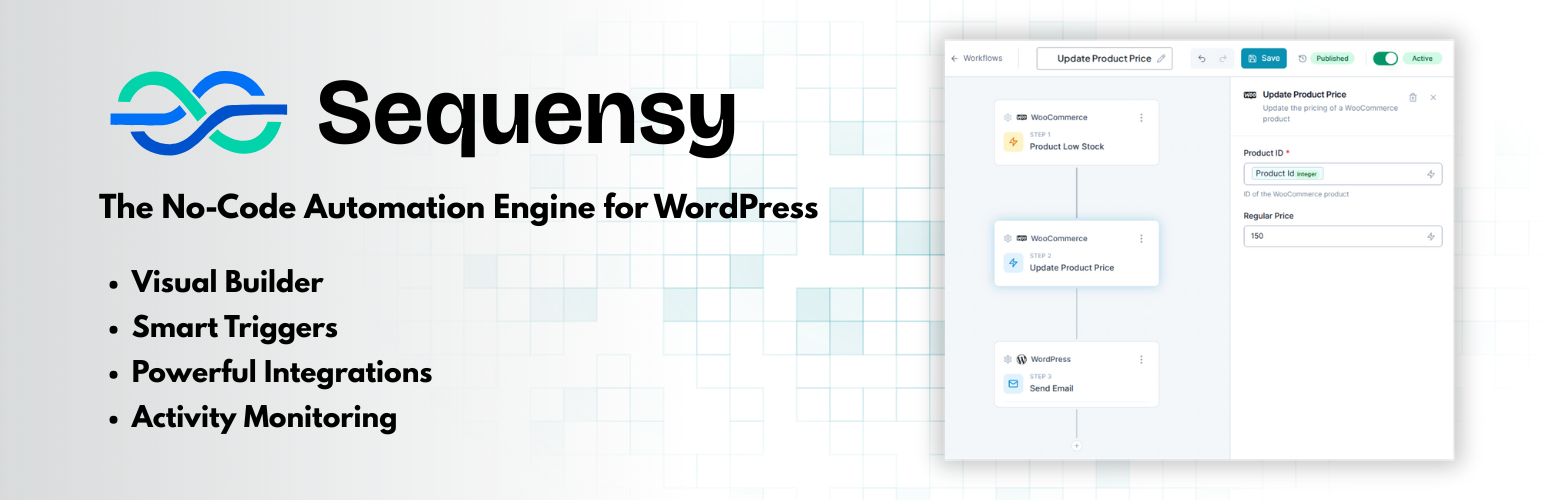
Sequensy is a powerful workflow automation plugin that lets you automate tasks on your WordPress site using a visual drag-and-drop builder.
Build Workflows Visually
Create automation workflows by connecting triggers (events that start the workflow) to actions (tasks to perform). No coding required.
WordPress Triggers
- User registration
- User profile updated
- User role changed
- Post published
- Comment submitted
WooCommerce Triggers
- Order created, completed, processing
- Order status changed
- Order refunded
- Payment complete
- Customer created
- Customer address changed
- Product created, updated
- Product low stock
- Product stock changed
- Subscription created, status changed, renewal complete
Gravity Forms Triggers
- Form submitted
- Payment completed
- Entry updated
Contact Form 7 Triggers
- Form submitted
WordPress Actions
- Create or update posts/pages
- Create or update users
- Send emails
WooCommerce Actions
- Update order status
- Add order notes
- Create/update coupons
- Update product prices and stock
- And more…
Third-Party Integrations
Connect your workflows to external services:
- Mailchimp — Add/update subscribers, manage tags
- Kit (ConvertKit) — Subscriber and tag management
- HubSpot — Contact and list management
- Airtable — Create, update, delete records
- Notion — Create pages, query databases
- Campaign Monitor — Subscriber management
Features
- Visual workflow builder with drag-and-drop interface
- Conditional logic with filters
- Variable substitution between actions
- Activity logging for debugging
- Async execution for better performance
External Services
Sequensy can connect to third-party services to extend your workflow automation capabilities. Data is only sent to these services when you explicitly connect your account AND create a workflow that uses the service. You have complete control over what data is sent and when.
No data is sent to Sequensy or Summix servers. All workflow data is stored locally in your WordPress database.
HubSpot
Description: CRM platform for contact and list management
What Data Is Sent: Email address, first name, last name, phone number, company name, job title, and any custom properties you configure in your workflow actions
When Data Is Sent: Only when a workflow executes a HubSpot action (create/update contact, add contact to list)
Terms of Service: https://legal.hubspot.com/terms-of-service
Privacy Policy: https://legal.hubspot.com/privacy-policy
Mailchimp
Description: Email marketing platform for managing subscribers and campaigns
What Data Is Sent: Email address, name (merge fields), tags, VIP status, and any custom fields you configure in your workflow actions
When Data Is Sent: Only when a workflow executes a Mailchimp action (add/remove subscriber, manage tags)
Terms of Service: https://mailchimp.com/legal/terms/
Privacy Policy: https://www.intuit.com/privacy/statement/
Kit (ConvertKit)
Description: Email marketing platform for creators
What Data Is Sent: Email address, first name, and any custom fields you configure in your workflow actions
When Data Is Sent: Only when a workflow executes a Kit action (add/update subscriber, manage tags)
Terms of Service: https://kit.com/terms
Privacy Policy: https://kit.com/privacy
Campaign Monitor
Description: Email marketing platform for subscriber management
What Data Is Sent: Email address, name, mobile number, custom fields, and consent to track preferences you configure in your workflow actions
When Data Is Sent: Only when a workflow executes a Campaign Monitor action (add subscriber, unsubscribe)
Terms of Service: https://www.campaignmonitor.com/policies/#terms
Privacy Policy: https://www.campaignmonitor.com/policies/#privacy-policy
Airtable
Description: Cloud-based database and spreadsheet platform
What Data Is Sent: User-configured field values as defined in your workflow actions (can include any data type: text, numbers, attachments, etc.)
When Data Is Sent: Only when a workflow executes an Airtable action (create/update/delete record)
Terms of Service: https://www.airtable.com/company/tos
Privacy Policy: https://www.airtable.com/company/privacy
Notion
Description: Collaborative workspace and documentation platform
What Data Is Sent: User-configured properties and content as defined in your workflow actions (can include text, numbers, dates, etc.)
When Data Is Sent: Only when a workflow executes a Notion action (create/update page, query database)
Terms of Service: https://www.notion.so/terms
Privacy Policy: https://www.notion.com/trust/privacy-policy
Privacy
Sequensy can connect to third-party services when you configure integrations. For complete details about what data is sent to each service and when, see the «External Services» section above.
No data is sent to Sequensy or Summix servers. All workflow data is stored locally in your WordPress database.
Development
Source Code
The uncompiled JavaScript/TypeScript source code is included in the admin/src/ directory within this plugin.
The admin interface is built with React and TypeScript using Vite. To rebuild from source:
- Navigate to the
admin/directory - Run
npm installto install dependencies - Run
npm run buildto compile assets
Build Tools Used:
- Vite (build tool)
- React 18 (UI framework)
- TypeScript (type-safe JavaScript)
- Tailwind CSS (styling)