
Product List, Product Showcase, and Product Flip Layout for WooCommerce – Product Display
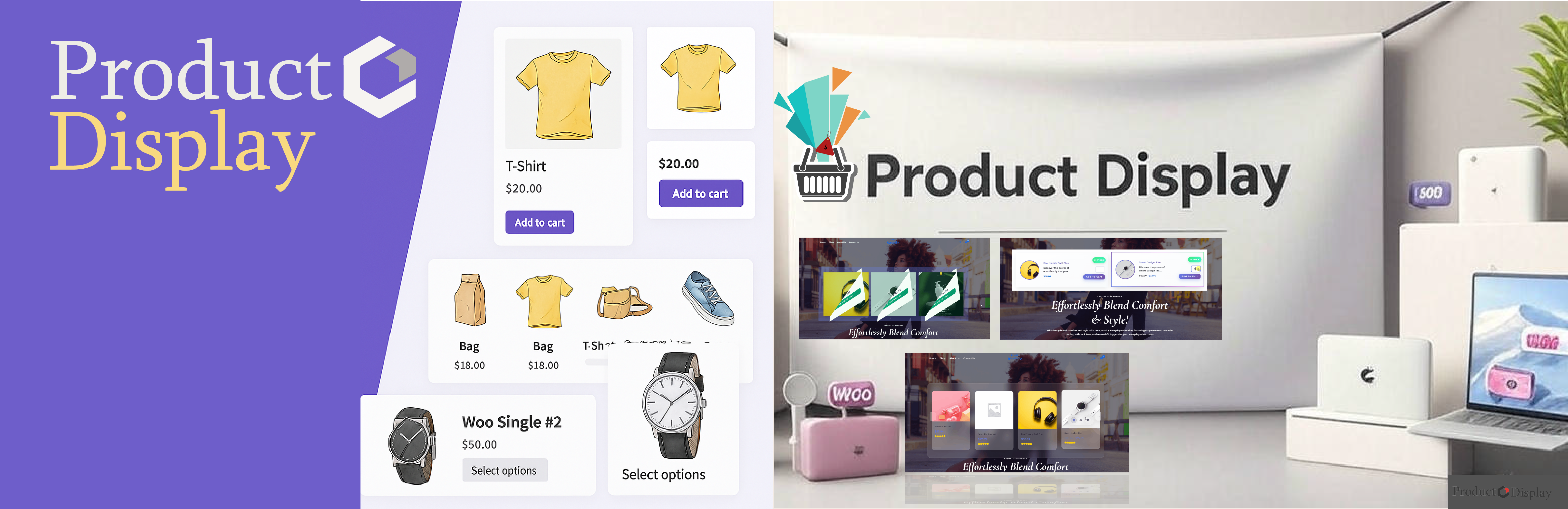
Product Display for WooCommerce is the most comprehensive and powerful WooCommerce product display plugin that transforms how you showcase products on your online store. Create beautiful product grids, responsive product sliders, interactive product tables, and stunning product galleries without any coding knowledge.
Product Display is ideal for building WooCommerce product grids, product sliders, product tables, product carousels, and product galleries without coding.
Perfect for WooCommerce stores looking to increase conversions, improve user experience, and showcase products professionally with modern layouts and advanced features.
🏆 Why Choose Product Display for WooCommerce?
✅ 12+ Professional Layouts – Grid, Card, Slider, Masonry, Gallery, Flip, Table, Showcase, Category Tabs, List, CTA, Caption ✅ AJAX-Powered Performance – Lightning-fast filtering and pagination without page reloads ✅ Built-in Wishlist System – Advanced wishlist functionality with floating button and modal ✅ Product Compare Feature – Side-by-side product comparison with detailed attributes ✅ Quick View Popup – Instant product details without leaving the page ✅ Live Product Filters – Filter by category, tag, price, attributes, and custom taxonomies ✅ Elementor Integration – Dedicated widget with live preview in Elementor editor ✅ Gutenberg Block – Native block editor integration ✅ Mobile-First Design – Fully responsive on all devices and screen sizes ✅ SEO Optimized – Clean markup and fast loading for better search rankings ✅ WooCommerce HPOS Compatible – Full support for High-Performance Order Storage
🎯 Perfect For These Use Cases:
🛍️ E-commerce Stores – Showcase products with professional layouts that convert 📱 Mobile Shopping – Fast-loading product lists optimized for mobile users 🎨 Product Catalogs – Create beautiful product galleries for marketing campaigns 📊 Bulk Ordering – Display products in table format for B2B and wholesale 🏪 Multi-Category Stores – Organize products with category tabs and filters 💼 Corporate Websites – Professional product showcases for business clients
🔥 Advanced Features & Layouts
Product Grid Layouts
Create responsive WooCommerce product grids with customizable columns, spacing, and styling options. Perfect for shop pages and category displays.
WooCommerce Product Slider & Carousel
Build engaging product sliders and product carousels with autoplay, navigation arrows, dots, and touch/swipe support for mobile devices.
WooCommerce Product Table Layouts
Display products in WooCommerce product tables with sortable columns, bulk actions, and comparison features – ideal for B2B stores and bulk ordering.
WooCommerce Product Gallery Layouts
Showcase products with stunning product gallery layouts featuring image hover effects, lightbox integration, and masonry-style arrangements.
WooCommerce Masonry Grid Layouts
Create Pinterest-style masonry product grids that automatically adjust to different product image sizes and content lengths.
WooCommerce Product Showcase Designs
Highlight featured products with modern product showcase layouts that draw attention to your best-selling or promotional items.
WooCommerce Category Tab Layouts
Organize products by categories with interactive category tab layouts that allow customers to browse different product types seamlessly.
WooCommerce Flip Card Layouts
Engage customers with interactive flip card product layouts that reveal additional product information on hover or click.
WooCommerce Call-to-Action Layouts
Drive conversions with CTA product layouts designed to encourage immediate action with prominent buttons and compelling design.
WooCommerce Caption Overlay Layouts
Add visual appeal with caption overlay layouts featuring 18+ animation effects including blinds, zoom, bounce, cube, and modern hover transitions.
WooCommerce Product List Layouts
Create clean, scannable product list layouts perfect for mobile browsing and quick product comparison.
Advanced Product Filtering
- AJAX Live Filtering – Filter products without page refresh
- Category Filters – Browse by product categories and subcategories
- Price Range Filters – Set minimum and maximum price ranges
- Attribute Filters – Filter by color, size, brand, and custom attributes
- Tag Filters – Filter products by tags and labels
- Stock Status Filters – Show only in-stock or on-sale products
- Custom Taxonomy Filters – Filter by any custom product taxonomy
Enhanced Shopping Features
Advanced Wishlist System
- Floating Wishlist Button – Always accessible wishlist with product count
- Wishlist Modal – Beautiful popup to manage saved products
- Guest Wishlist Support – Works for both logged-in and guest users
- Wishlist Persistence – Saves wishlist across browser sessions
- Social Sharing – Share wishlist on social media platforms
- Email Wishlist – Send wishlist via email to friends and family
Product Compare Feature
- Side-by-Side Comparison – Compare multiple products in a table format
- Detailed Attributes – Compare prices, features, ratings, and specifications
- Compare Modal – Beautiful popup interface for product comparison
- Add to Cart from Compare – Purchase directly from comparison table
- Compare Persistence – Maintains comparison list across pages
Quick View Functionality
- Instant Product Details – View product information without page navigation
- Image Gallery – Browse product images in quick view popup
- Add to Cart – Purchase directly from quick view modal
- Product Variations – Select size, color, and other variations
- Related Products – See related items in quick view
Professional Customization Options
Design & Styling
- Color Customization – Customize colors for all elements
- Typography Control – Set fonts, sizes, and text styling
- Spacing Options – Control margins, padding, and gaps
- Border & Shadow Effects – Add borders and box shadows
- Background Options – Set background colors and images
- Hover Effects – Choose from multiple hover animations
Layout Configuration
- Responsive Columns – Set different column counts for desktop, tablet, mobile
- Grid Spacing – Control horizontal and vertical spacing between products
- Image Aspect Ratios – Maintain consistent image proportions
- Content Alignment – Align text and elements as needed
- Button Positioning – Control placement of action buttons
Performance Optimization
- Lazy Loading – Load images only when needed for faster page speeds
- AJAX Pagination – Navigate pages without full page reloads
- Caching Support – Compatible with popular caching plugins
- Minified Assets – Optimized CSS and JavaScript for faster loading
- CDN Ready – Works seamlessly with content delivery networks
🛠️ Easy Integration & Setup
Shortcode System
Use simple shortcodes to display products anywhere on your site:
`
[product_display layout=”grid” columns=”4″ limit=”12″] [product_display layout=”slider” autoplay=”yes” arrows=”yes”] [product_display layout=”table” show_compare=”yes” show_quickview=”yes”] `
Elementor Integration
- Dedicated Elementor Widget – Drag and drop product displays
- Live Preview – See changes instantly in Elementor editor
- Widget Controls – Full control over layout and styling options
- Template Integration – Use with Elementor Pro theme builder
Gutenberg Blocks
- Custom Gutenberg Block – Easy insertion in block editor
- Block Settings Panel – Configure options directly in editor
- Preview Mode – See layout preview before publishing
Widget Support
- Sidebar Widgets – Add product displays to sidebars
- Footer Widgets – Showcase products in footer areas
- Custom Widget Areas – Use in any widget-enabled area
🎨 Layout Showcase
Grid Layouts (3 Variations)
- Basic Grid – Clean, minimal product grid layout
- Enhanced Grid – Grid with additional product information
- Advanced Grid – Feature-rich grid with all product details
Card Layouts (3 Variations)
- Simple Cards – Clean card design with essential information
- Detailed Cards – Cards with extended product details
- Premium Cards – Feature-rich cards with all options
Slider Layouts (3 Variations)
- Basic Slider – Simple product carousel with navigation
- Advanced Slider – Multi-row slider with enhanced controls
- Premium Slider – Full-featured slider with all options
Masonry Layouts (3 Variations)
- Pinterest Style – Dynamic masonry grid layout
- Balanced Masonry – Evenly distributed masonry layout
- Creative Masonry – Artistic masonry arrangement
Gallery Layouts (3 Variations)
- Image Focus – Gallery emphasizing product images
- Balanced Gallery – Equal focus on images and content
- Content Rich – Gallery with detailed product information
Table Layouts (3 Variations)
- Simple Table – Basic product table with essential columns
- Comparison Table – Table optimized for product comparison
- Advanced Table – Feature-rich table with all product data
Showcase Layouts (Multiple Variations)
- Hero Showcase – Large featured product display
- Banner Showcase – Promotional product showcase
- Highlight Showcase – Emphasis on key product features
Category Tab Layouts (3 Variations)
- Horizontal Tabs – Traditional horizontal tab navigation
- Vertical Tabs – Space-efficient vertical tab layout
- Modern Tabs – Contemporary tab design with animations
List Layouts (3 Variations)
- Compact List – Space-efficient product list
- Detailed List – List with comprehensive product information
- Enhanced List – Feature-rich list with all options
CTA Layouts (3 Variations)
- Action Focused – Emphasis on call-to-action buttons
- Conversion Optimized – Designed for maximum conversions
- Sales Driven – Layout optimized for sales and promotions
Flip Layouts (5 Variations)
- Simple Flip – Basic flip animation on hover
- 3D Flip – Three-dimensional flip effect
- Slide Flip – Sliding flip animation
- Fade Flip – Smooth fade transition flip
- Creative Flip – Unique flip animations and effects
Caption Layouts (18+ Variations)
Modern hover effects and animations: – Blinds Vertical – Venetian blind effect – Blocks Zoom – Block-based zoom animation – Book Open – Book opening animation – Border Reveal – Progressive border reveal – Bounce Effects – Dynamic bounce animations – Circle Transitions – Circular reveal effects – Cube Rotations – 3D cube rotation effects – Swiper Slides – Smooth sliding transitions – Liquid Morph – Fluid morphing effects – Neon Glow – Glowing neon effects – Origami Fold – Paper folding animations – Particle Burst – Particle explosion effects – Hologram – Futuristic hologram effects – Glass Shatter – Glass breaking animations – Magnetic Pull – Magnetic attraction effects – Quantum Tunnel – Sci-fi tunnel effects – Fire Ignition – Fire and flame effects – Matrix Rain – Digital matrix effects
Page Builder Integration
🔧 Elementor – Dedicated widget with live preview 🔧 Gutenberg – Custom blocks for block editor
Using Elementor: 1. Edit page with Elementor 2. Add “Product Display” widget 3. Select your saved layout 4. Configure widget settings 5. Preview and publish
Using Gutenberg: 1. Add “Product Display” block 2. Select layout from dropdown 3. Configure block settings 4. Preview and publish
💡 Use Cases
- Create WooCommerce product grids for shop pages
- Display product tables for bulk ordering
- Showcase featured products with product showcases
- Build fast-loading product lists for mobile users
- Create promotional product galleries for campaigns
External Libraries
This plugin utilizes the following third-party libraries:
-
Masonry.js: A JavaScript grid layout library (masonry)
- Purpose: Masonry is used to create responsive, grid-based layouts for product displays.
- Source: The full, unminified source code for Masonry is available at masonry.
- License: MIT License
-
Slick.js: A responsive carousel jQuery plugin (slick)
- Purpose: Used to create responsive product carousels and sliders.
- Source: The full, unminified source code is available at kenwheeler.
- License: MIT License
-
toastmaster.js: A lightweight, versatile modal and toast notification library that works seamlessly with vanilla JavaScript, React, Vue and other frameworks (toastmaster)
- Purpose: Used to create toast, tag, notices.
- Source: The full, unminified source code is available at toastmaster.
- License: MIT License
The minified versions of these libraries are included in the plugin to optimize performance. The original, unminified source code is available through the links above. No data is sent to external services when using these libraries.
If you wish to modify these libraries or use the unminified versions:
1. Download the source code from the GitHub repositories linked above
2. Replace the minified files in the /assets/library/ directory with your modified or unminified versions
3. Clear your browser cache to ensure the changes take effect
How to Use
- Activate the Plugin: Go to Product Display in the WordPress dashboard.
- Choose a Layout: Select Grid, Masonry, or Table.
- Customize: Adjust settings to match your store’s design.
- Use Shortcodes: Insert
[product_display layout="grid"](or masonry/table) in posts or pages.