
Planet Pop
·
Interactive 3D planet viewer with hotspots, tooltips, animations, environment maps and realistic lighting.
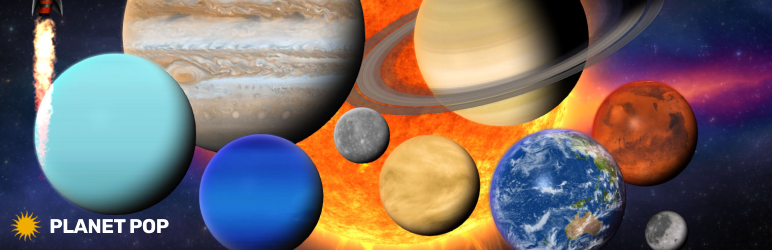
Showcase authentic 3D planets with realistic rendering (lights, environment maps and shadows). Add markers with tooltips and info windows, control animations, and tween the camera to predefined positions.
Video Tutorial
Highlights
Realistic 3D Planets – Realistic rendering with lights, environment maps and shadows.
Easy To Configure And Install – Includes documentation, video tutorials, demo pages, updates, and support from the developer – Tibi @ FWD.
Main Features
- Responsive Layout – Fully responsive and adaptable regardless of which device or screen size is used.
- Desktop & Mobile Optimized – Adapts to any screen size and device, whether on iOS/iPhone, Android, or desktop browsers.
- Two Intro Transition Types – When the scene is displayed for the first time, there are two available transitions: teleportation and opacity.
- Parallax – Optional vertical parallax.
- Scale On Scroll – This option lets Planet Pop start zoomed in, and as the user scrolls the page, the celestial smoothly returns to its normal scale.
- Customizable Size – The size of the images and the spacing between them can be adjusted as needed.
- Customizable Geometry – Configure the radius on the X and Z axes independently to create a true oval shape.
- Sun – Add realistic solar system planets to your page at any size, with configurable parameters like spin speed, light direction, and more… Saturn, Jupiter, Uranus, Neptune, Mercury, Venus, Earth, Moon, Mars, Nebula.
- Planets – Subtle camera rotation that follows the mouse, with adjustable strength for fine-tuned interaction.
- Bonus Rocket – Bonus rocket that can be added to your page at any size. Example here.
- Custom Tool To Place Celestials – Detailed documentation for both WordPress and JavaScript versions.
Configuration
After activation, open the plugin settings in the WordPress admin area and create a new viewer preset. Then use the shortcode below in any post or page.
Use Cases
- Embedding 3D planets in posts or pages
- Product visualization with 3D previews
- Showcasing GLTF/GLB planets interactively
- Creating 3D hotspots and annotations
- Displaying 3D assets in portfolios or documentation
Links
Shortcode
Basic example:
[fwdpp id=”1″]
Development
This plugin’s full source code is publicly available for transparency and verification. Developed and maintained by FutureWebDesign.
- Source code & build tools — includes original uncompiled files and Vite build configuration.
- Distributed plugin uses a compiled build generated by Vite for optimal performance.